Fewer ordering channels
Move calls, inbox requests and attached order forms into one consistent self-service journey.
 VendFront
Digital ordering system for vending businesses
VendFront
Digital ordering system for vending businesses
Secure self-service for regular customers
This online customer ordering portal for vending businesses gives workplace buyers one branded place to order products, select saved locations, review purchases, track status and repeat orders.
Why regular customers need a portal
A customer ordering portal reduces the repeated questions and data entry that make every replenishment request feel like a first order.
Move calls, inbox requests and attached order forms into one consistent self-service journey.
Let customers select the correct saved workplace rather than retyping addresses.
Use history, saved products and Quick Shop to reduce the steps in routine replenishment.
Customer login and profile
Customers can sign in to manage their profile, password and account information. The authenticated journey keeps order history and saved ordering tools connected to the correct customer.
Company and customer account information.
Customer-controlled password management.
Previous purchases linked to the account.
Products retained for future consideration.
Saved workplace locations
Account holders can maintain multiple delivery addresses and choose the relevant workplace at checkout. This is useful for office groups, branches and purchasing contacts who manage several locations.
Level 3 delivery instructions saved.
Reception contact linked to the site.
Warehouse delivery location available.
Create another workplace address.
Previous orders and repeat ordering
Customers can open previous order records for reference and rebuild familiar carts. Quick Shop supports buyers who know the products and quantities they want without navigating every product page.
Dates, items, totals and fulfilment details.
Start a new cart from a familiar order.
Select several regular products quickly.
Check pending, ready or delivered progress.
Saved products and purchasing context
Customers can retain products for later and email a wishlist to a colleague or purchasing contact.
Compare saved products when a customer needs to decide between similar catalogue options.
Capture purchase-order and account context, with customer-specific commercial requirements scoped during setup.
Order status and tracking
The order-status journey reduces “where is my order?” enquiries by giving customers a consistent record of the order and its current fulfilment stage.
Customer and checkout details recorded.
Fulfilment team prepared the items.
Order is ready for the next step.
Completion will close the workflow.
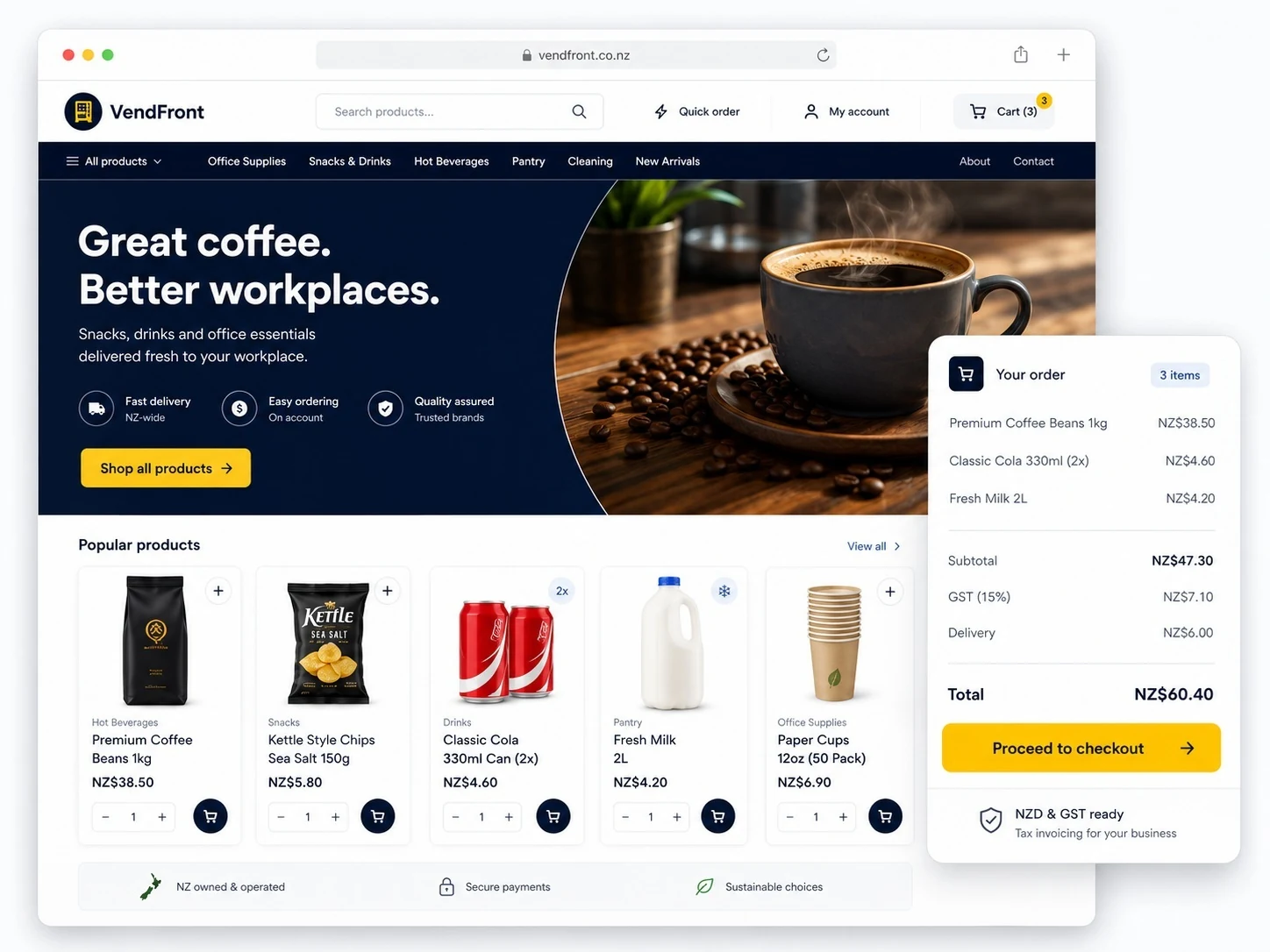
Portal and storefront preview
Explore the public ordering experience, then open customer login to see how account features support repeat buyers.
Frequently asked questions
Practical answers about accounts, saved locations, purchasing history and repeat ordering.
A customer ordering portal is a secure, branded online area where business customers can manage account details, choose saved locations, place product orders, review previous purchases and track order progress.
It is designed for regular customers of vending, office coffee, micro-market, water-service and workplace refreshment providers in New Zealand.
Yes. Customers can maintain multiple saved delivery addresses for branches, offices or service sites and select the appropriate location while ordering.
Yes. Account holders can review order history, open previous order details and use cart rebuilding or Quick Shop to shorten a repeat purchase.
Yes. VendFront supports saved items, wishlists and product comparison. A wishlist can also be shared with a colleague or purchasing contact by email.
Yes. Customers can access order records and use the order-status journey to check progress using the available tracking details.
VendFront supports business-account ordering, pricing and purchasing context. Exact customer-specific pricing, approval or credit terms must be confirmed as part of the implementation scope.
A better service for regular customers
We will demonstrate how accounts, locations and repeat ordering can fit your service model.